

What Should I Do If My Automatic Toilet Dispenser Sensor Stops Working
2026-07-27
A malfunctioning sensor on your Automatic Toilet Dispenser can turn a convenient hygiene solution into a frustrating maintenance problem. When the infrared or motion sensor fails, the unit may not release cleaning solution, flush, or dispense toilet paper at the right time. Before you call a plumber or replace the entire unit—especially if you own a SANDELI model—there are several systematic checks and fixes you can perform yourself. This guide walks through every practical step, from basic troubleshooting to advanced resets, so you can restore your Automatic Toilet Dispenser to full function with minimal downtime.
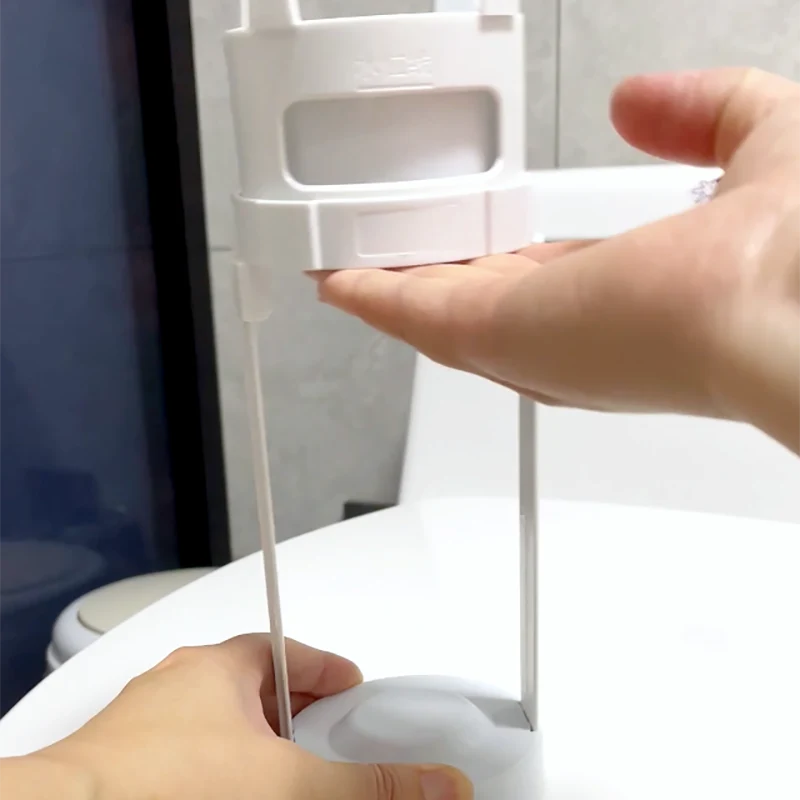
Step-by-Step Sensor Troubleshooting Checklist
| Step | Action | Expected Outcome |
|---|---|---|
| 1 | Check the power source (batteries or AC adapter) | Sensor LED lights up or responds to hand wave |
| 2 | Clean the sensor lens with a soft microfiber cloth | Removes dust, soap film, or hard water deposits |
| 3 | Remove any reflective objects (mirrors, metal trays) near the sensor | Stops false triggering or signal blocking |
| 4 | Perform a hard reset (disconnect power for 60 seconds) | Resets internal microprocessor and restores default sensitivity |
| 5 | Test the sensor in different ambient light conditions | Identifies interference from direct sunlight or bright LED |
| 6 | Check wiring connections (if hardwired) | Loose terminals cause intermittent failure |
| 7 | Update or re-pair the remote control (if applicable) | Restores wireless communication between remote and base unit |
Common Causes of Sensor Failure
| Cause | Frequency | Difficulty to Fix |
|---|---|---|
| Dirty or smudged lens | Very High | Easy (clean with isopropyl alcohol) |
| Weak or dead batteries | High | Easy (replace with fresh alkaline batteries) |
| Sunlight/IR interference | Moderate | Medium (adjust sensor angle or add shield) |
| Water ingress (moisture damage) | Moderate | Hard (requires drying and sealing) |
| Internal component burnout | Low | Hard (replace sensor board or contact SANDELI support) |
Detailed Repair Actions
Power First – Over 60% of sensor issues trace back to power. For battery-operated Automatic Toilet Dispenser units, replace all batteries with new ones, even if the low-battery indicator hasn't appeared. For AC-powered models, verify the outlet voltage with a multimeter (110–240V depending on region). SANDELI units feature a dual-power option, so test both sources if available.
Clean the Lens Properly – Use a cotton swab dipped in 70% isopropyl alcohol to gently wipe the convex sensor window. Avoid abrasive cleaners that scratch the plastic, as scratches scatter the infrared beam. Dry with a lint-free cloth before retesting.
Eliminate Environmental Interference – Move any glossy white tiles, chrome fixtures, or automatic hand dryers away from the sensor’s field of view. These reflect the IR beam and confuse the receiver. Also, shade the sensor from direct afternoon sun, which can saturate the photodiode.
Hard Reset Procedure – Disconnect all power (batteries and AC) for at least 60 seconds. Press and hold the manual flush/override button for 10 seconds to drain residual capacitor charge. Reconnect power and wait for the calibration blink pattern (usually 3 fast blinks on SANDELI models). Test with a hand wave at 15 cm, 30 cm, and 50 cm distances to verify range.
Automatic Toilet Dispenser FAQ – Common Questions
Q: How do I know if my sensor is completely dead versus just dirty?
A: Perform the "flashlight test." In a dark room, shine a smartphone flashlight directly at the sensor lens from 5 cm away. If the unit activates (dispenses or flushes), the receiver is working, and the problem is either dirt blocking the emitted IR or a weak emitter diode. If there is no reaction, use your phone’s front camera to view the emitter while activating the unit—most phone cameras can see the near-infrared glow (appears as a faint purple/pink light). If you see no glow, the emitter is dead and requires board replacement. For SANDELI models, this emitter typically lasts 50,000 hours, so premature failure usually indicates a power surge or moisture ingress.
Q: Can I bypass the sensor and use the dispenser manually while waiting for a replacement part?
A: Yes. Almost all modern Automatic Toilet Dispenser units include a mechanical override button located either under the top cover or on the side panel. On SANDELI models, press and hold this button for 3 seconds to enter "manual-only mode," which disables the sensor and allows button-press operation. This mode persists through power cycles, so you can continue using the unit while ordering a replacement sensor module. Check your user manual for the specific button sequence—some models require a double-press within 2 seconds. Manual mode does not affect cleaning cycles or chemical dosing, so it is safe for long-term temporary use.
Q: How much does it typically cost to replace a sensor on a wall-mounted Automatic Toilet Dispenser?
A: The cost varies by brand and labor. For a DIY replacement sensor board (compatible with SANDELI standard mounts), prices range from $25 to $65 for the part alone. Professional installation by a licensed plumber adds $80–$150 per hour, with most replacements taking under 45 minutes. If your unit is still under warranty (SANDELI offers a 2-year limited warranty on sensors), the replacement board is free, and you only pay shipping. Always compare the replacement cost against a new entry-level Automatic Toilet Dispenser ($120–$200)—if your unit is over 5 years old, upgrading may be more economical. For commercial-grade models, sensor replacement is always cheaper than full unit replacement, as the stainless-steel housing and pump assembly outlast electronics by 3:1.
When to Call Professional Support
If you have completed all steps above—power verified, lens cleaned, reset performed, interference eliminated—and the sensor still fails to respond, the issue is likely on the control board or wiring harness. At this stage, do not attempt to solder or modify internal circuits, as this voids the warranty and creates electrical hazards.
Contact SANDELI technical support directly with your model number (found on the back label) and a short video of the failure. Their team can diagnose whether you need a new sensor eye, a mainboard, or simply a firmware reflash. For commercial installations with multiple units, request a site visit if more than two sensors fail within the same month—this indicates a systemic power or water pressure issue rather than isolated defects.
Preventive Maintenance Schedule
| Frequency | Task | Tool/Product |
|---|---|---|
| Weekly | Wipe sensor lens with alcohol wipe | Pre-moistened 70% IPA pad |
| Monthly | Test sensor range with hand at 30 cm | No tools needed |
| Quarterly | Replace batteries (even if not dead) | Fresh alkaline AA or C cells |
| Biannually | Inspect wire connectors for corrosion | Contact cleaner spray |
| Annually | Factory reset and recalibrate sensitivity | SANDELI calibration remote (included) |
Final Recommendation
A non-working sensor does not mean a broken Automatic Toilet Dispenser. In 9 out of 10 cases, simple cleaning, new batteries, or a 60-second reset fully restores function. However, if you have gone through this entire checklist and the sensor remains unresponsive, do not risk further damage.
Contact us today at SANDELI support—our certified technicians can ship a replacement sensor module within 24 hours or guide you through a remote diagnostic session. Visit our official website, submit a ticket with your unit’s serial number, and we will respond within 2 business hours. We also offer a trade-in discount for older units if you decide to upgrade to our latest IR‑proximity model with self-calibrating intelligence. Reach out now and keep your restroom running reliably.